The school week, on the kitchen wall
Schoolday is a Home Assistant integration that owns the timetable rather than reading it from a calendar — then hands it to its own Lovelace cards, the morning routine, the packing list and your automations.
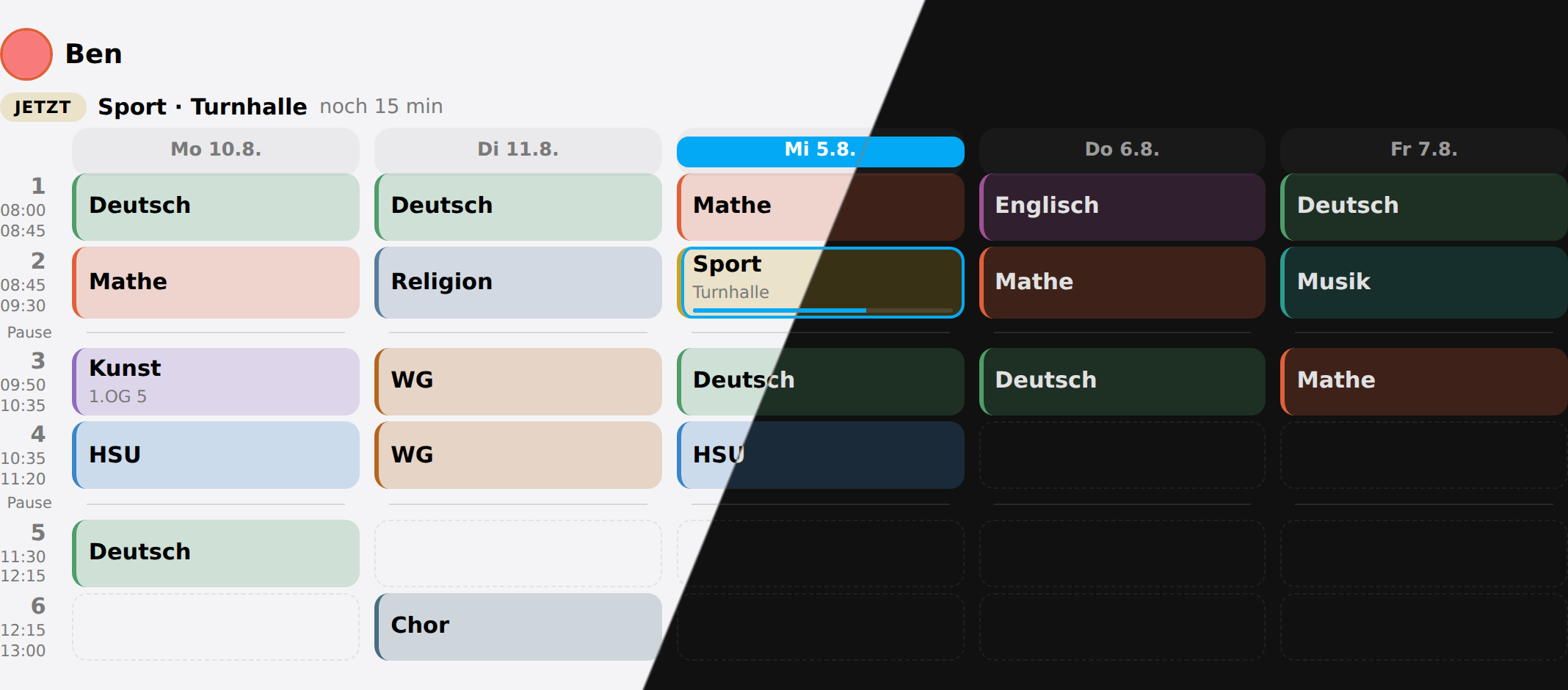 The week for one child. Today is marked, the running lesson is picked out, and every subject keeps the same colour everywhere else in the house.
A timetable is fixed for a school year, and forty recurring events a week is not a calendar anybody wants to maintain. So it is typed in once, and the board, the cards, the sensors and the routines all read it from there.
It is built for one thing: a tablet on the kitchen wall that a family walks past.
What it does
The week per child, coloured by subject, with the running lesson marked. Schools on a two-week A/B rhythm included, down to which calendar week A starts in — and weeks that begin on Sunday.
RoutinesThe things that simply have to happen, ticked off by the kids themselves — and the packing list that tomorrow's lessons generate on their own.
HomeworkA Home Assistant todo list per child, sorted by what is due first, with finished work kept for a fortnight so Thursday's question has an answer on Friday. New homework can come over from Schulmanager Online.
The recordHow reliably each child gets through their routines over the last month, and which steps keep being skipped — for the grown-ups, not for the wall.
Days that differHolidays, holiday care, school trips, a cancelled lesson, a substitution, an exam — and a child at home ill, which expires by itself instead of waiting to be switched off. Cancellations, substitutions and exams can come from WebUntis, Schulmanager Online or any school calendar.
AutomationsA sensor per child whose state is the subject they are in right now, today's and tomorrow's subjects ready to speak, a leaving time that moves when the first lesson is cancelled — or stays at the bus — a message when the school changes the plan, three blueprints, and a service for everything the options dialog can change.
The cardsSix Lovelace cards that configure themselves. A card with no options at all is the normal case here, not the fallback.
A morning on the board
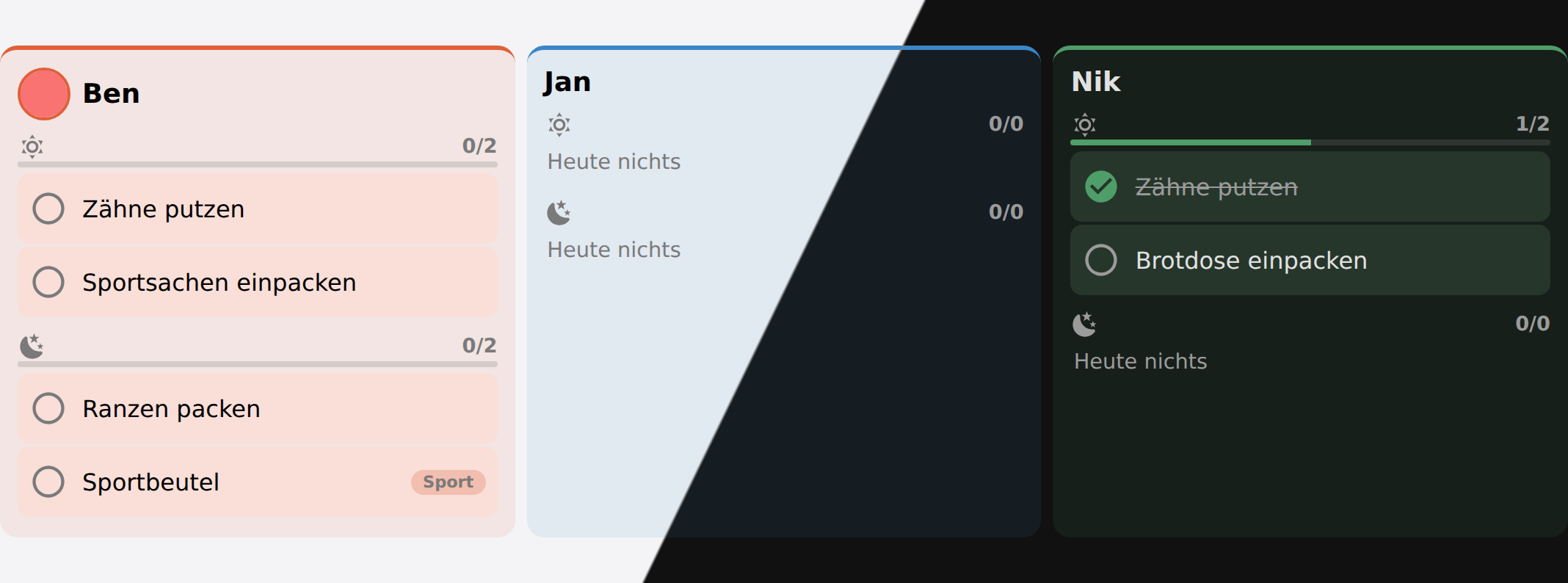 Each child sees their own steps, and only the block that is running.
The morning shows what has to happen before the door; the evening shows what has to be packed for tomorrow. Nothing has to run at midnight for this to be right — a stale day simply reads as “nothing done yet”.
Where to start
- Install it — search for Schoolday in HACS.
- Set it up — family members, lesson times, one week per child.
- Put the cards on a dashboard — most of them take no configuration at all.
The Goldammerweg setup is the household this is developed against — five people, three at school, a tablet in the kitchen. Entity ids and dashboard YAML included, so it reads as a worked example rather than a sample.
Something not working, or missing
Something broken goes in an issue — the form asks for the version and the log, which is what makes it answerable. Questions and ideas go in Discussions, and an idea becomes an issue once there is a plan.
Built on the work of others
Reading a school system works because other people wrote the integrations that log in to it: Schulmanager Online by MrIcemanLE, building on Alpakat’s schulmanager-online-api-client, and WebUntis by JonasJoKuJonas. Thank you — and if Schoolday reads your school through one of them, their repository deserves a ⭐ as well.
If it works in your house
Give it a ⭐ on GitHub. The star count is what the next family looks at before deciding whether to try it. A photo of your wall panel in Show and tell does even more.
Schoolday is free and stays free. If it saves your mornings and you want to give something back, there is a coffee.
What it is not
Not a school-management system, not a homework nag, and not a reward chart. Routines are the things that have to happen whether or not anybody notices, and Schoolday does not score them. It keeps a record of what got done — but that is for the grown-ups working out whether a routine is working, not a league table on the wall.
It also does not log into your school’s portal. Schoolday holds what you type in, and that is what makes it work the same in every country. Where a portal already reaches Home Assistant as a calendar — WebUntis and Schulmanager Online do — Schoolday can read its cancellations, substitutions and exams from there, and copy new homework from its list.