Timetable
A timetable is fixed for a school year, which is why Schoolday stores it rather than reading it from a calendar. Everything is typed in once and every card and every automation reads it from there.
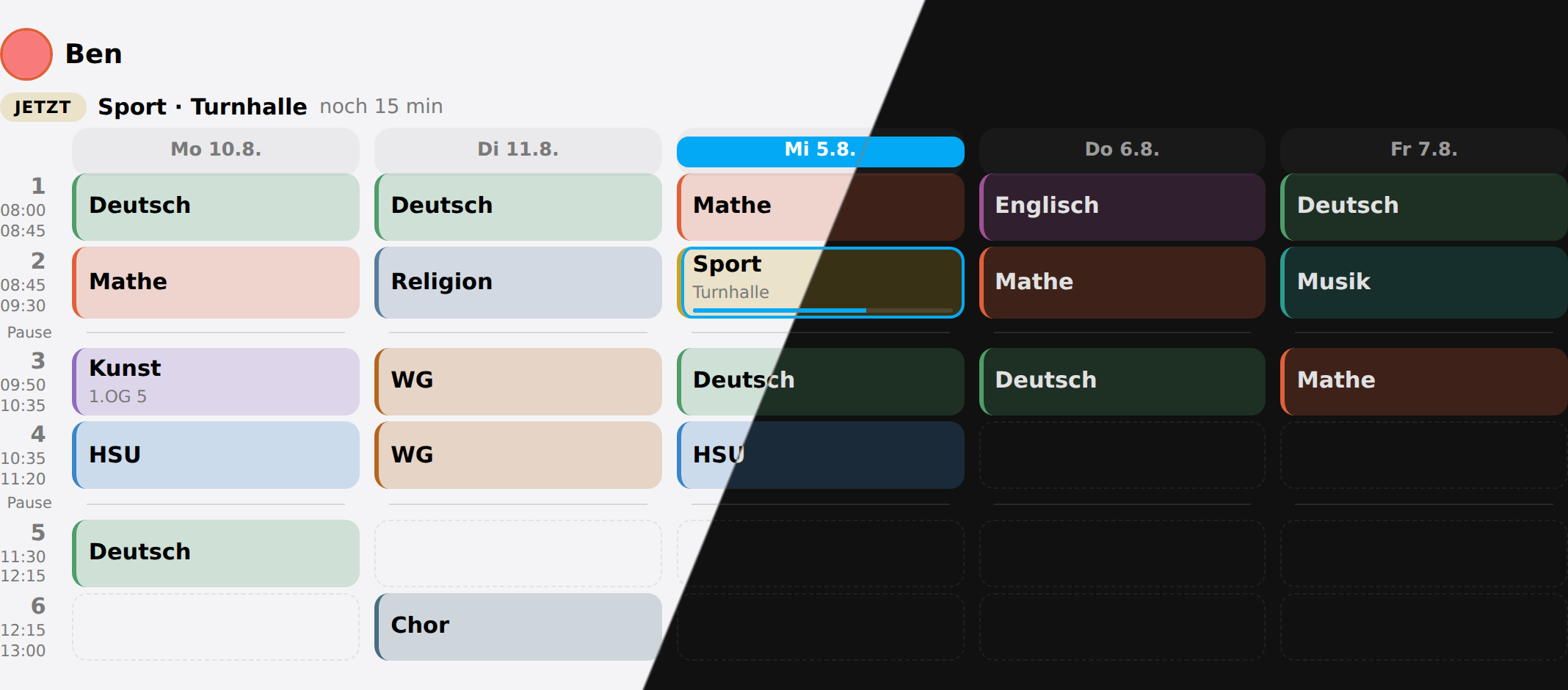 A week: today highlighted, the running lesson outlined, free periods drawn rather than left out
Lesson times
One HH:MM-HH:MM per line, in order:
08:00-08:45
08:45-09:30
09:50-10:35
10:35-11:20
Breaks come from the gaps. Anything from five minutes upwards between two periods is a break and is drawn as one — which is exactly the five-, ten- and sixty-minute gaps a school day already has. There is nothing to configure.
These are the times a child gets when nothing else is said, which for most households is everybody. A child whose day starts later at the same school simply has no lesson in the first period.
Two schools that do not ring together
A sibling at another school is a different matter: their first period may start at 08:15 and their morning break may be half an hour. Nothing in the grid above can say that, and guessing it wrong is not cosmetic — it is the running-lesson line, the sensor state, and the schoolday_lesson_started event all landing a quarter of an hour early.
So a second school gets its own named times, under Configure → Another school’s lesson times or in the timetable section of the admin card:
Gymnasium
  08:15-09:00
  09:00-09:45
  10:15-11:00
Then put the children who go there on it, in their own form under Edit a family member. Everybody else stays on the household’s times without being asked.
Named after the school rather than kept per child, and that is the point: two siblings at the same school share one entry, so a bell time that moves is typed once instead of twice. It is the same reason materials are held per subject rather than per child.
From there everything follows the child. Their card draws their rows, their breaks come out of their gaps, their sensor wakes at their boundaries, and their events fire when their lessons actually start.
Remove takes a school away again, and asks first — naming the children it moves, because “remove Gymnasium?” and “remove Gymnasium, and move Nik?” are different questions. They fall back to the household’s times rather than to none: a school deleted out from under a child leaves them with a working timetable, which is the better of the two wrong answers.
In the options dialog, where there is no button to press, clearing that school’s times does the same thing.
One week per child
Tap a cell and type the subject. A room can go with it. The grid shows the first five days of the week and any other day that already has a lesson. All seven days shows the rest, so you can add the first lesson on a Friday or a Saturday.
In the options dialog the same week is a text field, one line per period:
Deutsch
Mathe
Kunst | 1.OG 5
-
Deutsch
-leaves a period freeFach | RaumorFach @ Raumputs the room next to the subject5. Sportnames its period outright, so a day that starts at the third period does not need two placeholder lines first
Subject names are exact strings everywhere downstream: the sensor state, the colour, and whatever an automation compares against.
Sporton Monday andsporton Wednesday would be two subjects with two colours — so when a week is saved, the first spelling in it wins for the whole week. Across two children it deliberately does not, because that would silently undo a rename.
Colours
Every subject already has a colour, derived from its name by a stable hash. Maths is the same colour on every child’s card and stays that colour when the week is rewritten. The colour editor is only ever a correction, which is why it offers the current colour rather than an empty field.
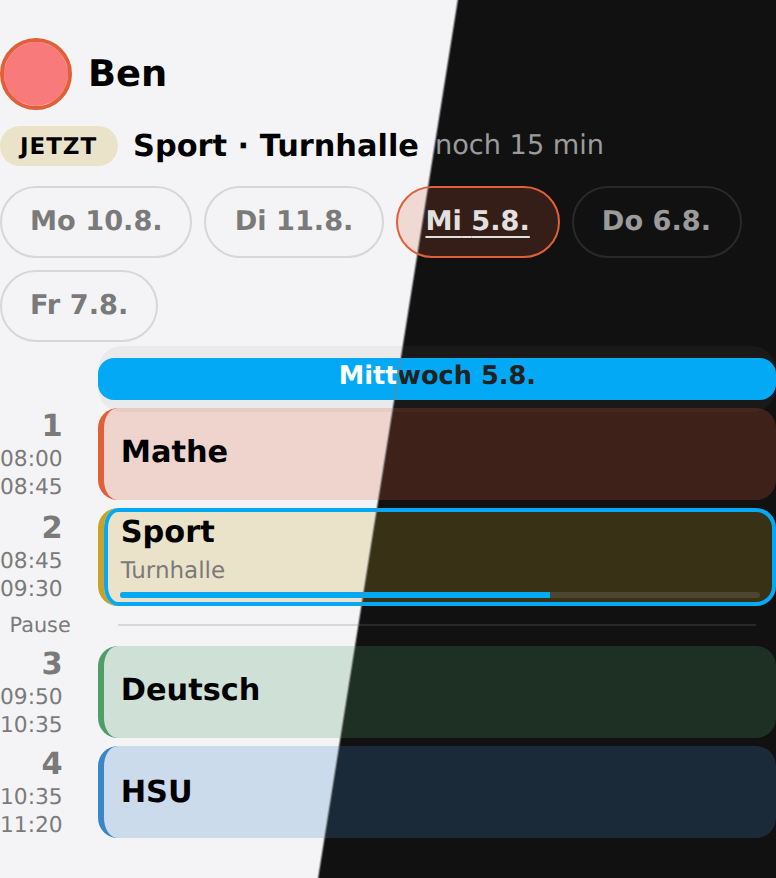 Too narrow for a week: the card falls back to one day and offers the others as chips
Two-week timetables
Some schools alternate an A week and a B week. Switch the cycle to two weeks and say which calendar week week A starts in — the way a school says it. The editor then has an A/B switch above the grid, and the display card marks every column with the week it belongs to.
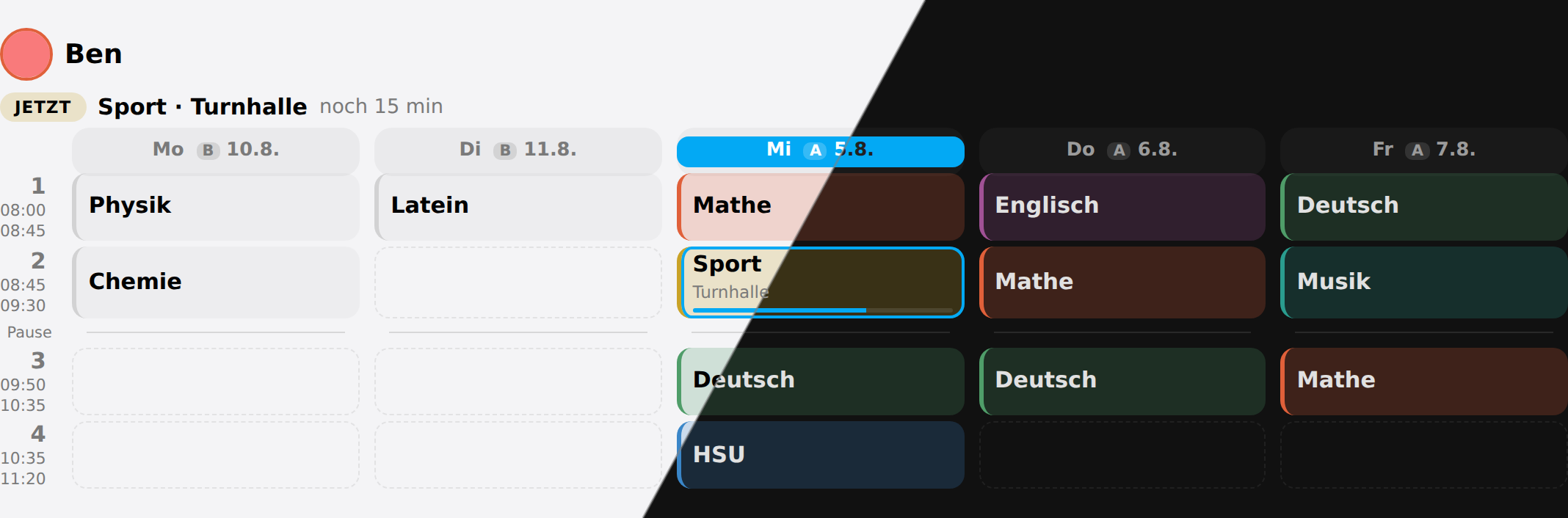 A two-week timetable: every column says which week it belongs to, and Monday points at next week — which is a B week
What gets stored is the Monday of that week, not the week number. An ISO year has 52 or 53 weeks — 2026 has 53 — so “A is the odd weeks” would swap itself over some new years and not others, and you would find out in February. A Monday keeps meaning the same thing.
Turning the cycle back off does not throw week B away. It stops showing it.
action: schoolday.set_cycle
data:
  weeks: 2
  iso_week: 37
When the week begins
Not every school week starts on Monday. In Israel it starts on Sunday.
In the editor’s Timetable tab, next to the cycle, Week begins on sets the first day of the week for the whole household. The default is Monday. It sets four things:
- The cards start the week on that day.
- The cards always show the first five days of the week, so Monday to Friday or Sunday to Thursday. Any other day appears as soon as it has lessons, so a school week of six days, such as Sunday to Friday, shows all six.
- In a two-week timetable, a new week of the cycle starts on that day. When the week begins on Sunday, Sunday gets the same letter as the Monday after it.
- The sensor’s
outlookstarts on that day. This affects which days the card shows when past days are not rolled on.
Home Assistant has its own first day of the week in each user’s profile. Schoolday does not use it. It is a personal setting that follows each user’s language, so two people in one home can have different days, and a timetable has to mean the same week for everybody.
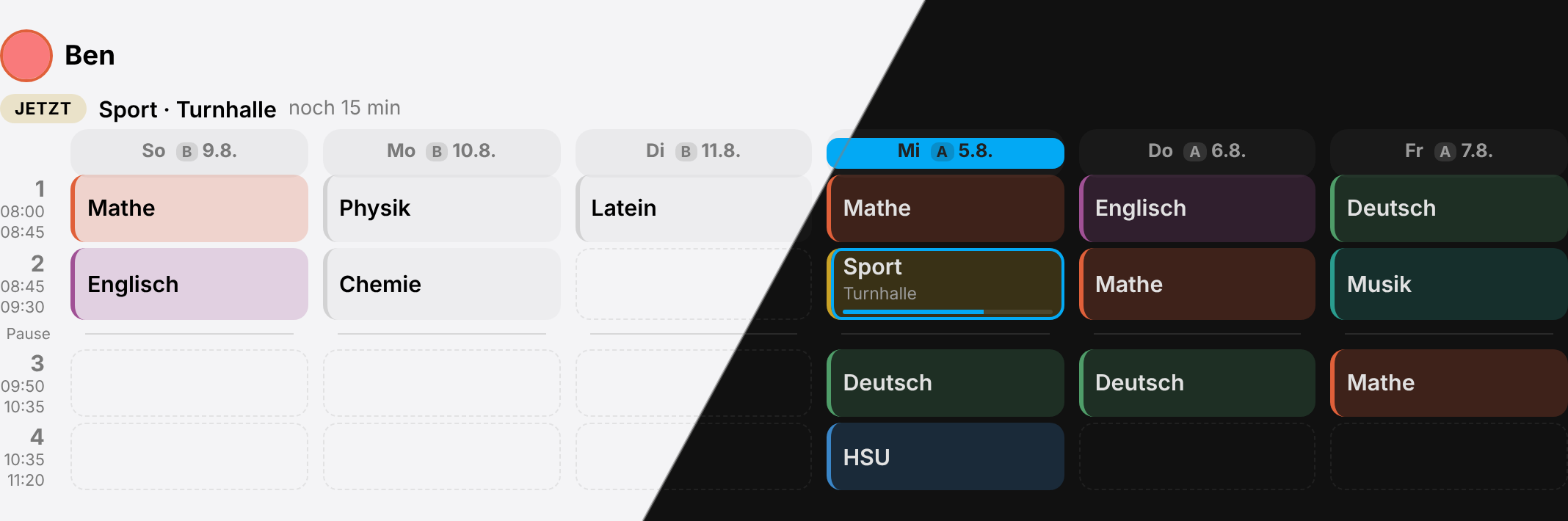 A two-week timetable in a week that begins on Sunday. Sunday is the first column. The coming Sunday is already part of next week, a B week, so it shows week B’s lessons.
Changing it does not move week A: Monday to Saturday keep their letters, and only Sunday changes.
action: schoolday.set_cycle
data:
  weeks: 2
  week_start: sunday
Which day a column means
A timetable repeats forever, so on its own a column can only say what a Tuesday is usually like. Schoolday’s columns point at dates: each one carries the date it stands for, and by default a weekday that has already been rolls on to next week’s — so on Wednesday, the Monday column is next Monday.
Turn that off with roll_days: false on the card to see the week as it stands, past days included.
Because a column is a date, everything dated follows from it without any extra option: holidays, holiday care, a child at home ill, a cancelled period, and which week of an A/B cycle you are looking at.